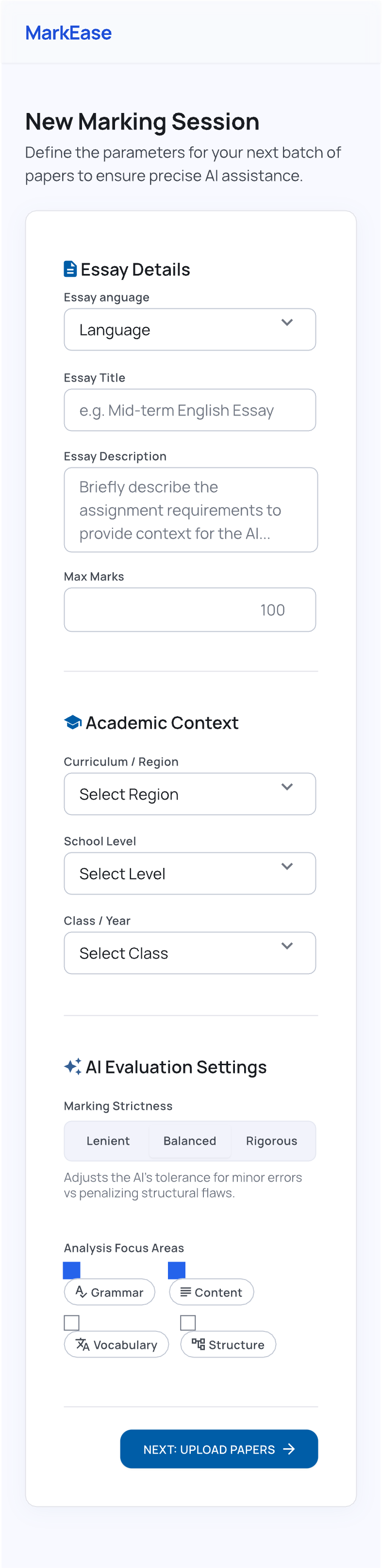
Add title, assignment background, class/year, max marks, strictness, and focus areas.
AI-assisted marking for teachers
Mark student writing with calmer focus.
Markease helps teachers upload essay pages, extract handwriting with Google Vision OCR, and receive structured AI feedback for spelling, grammar, content, and next-step comments.
OCR
Turn photographed papers into text and word positions.
AI feedback
Generate structured comments for teacher review.
History
Keep results available locally on the teacher's phone.
Google Vision OCR
Teacher-reviewed AI output
From paper photo to organised marking result.
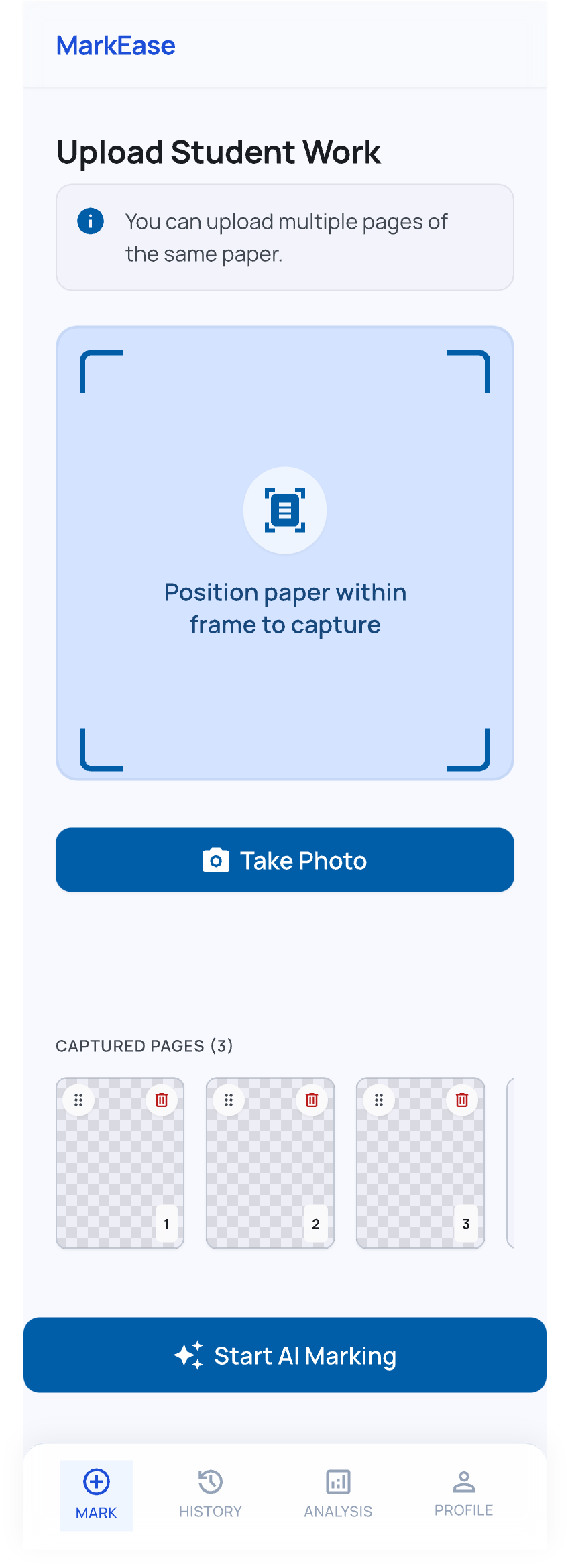
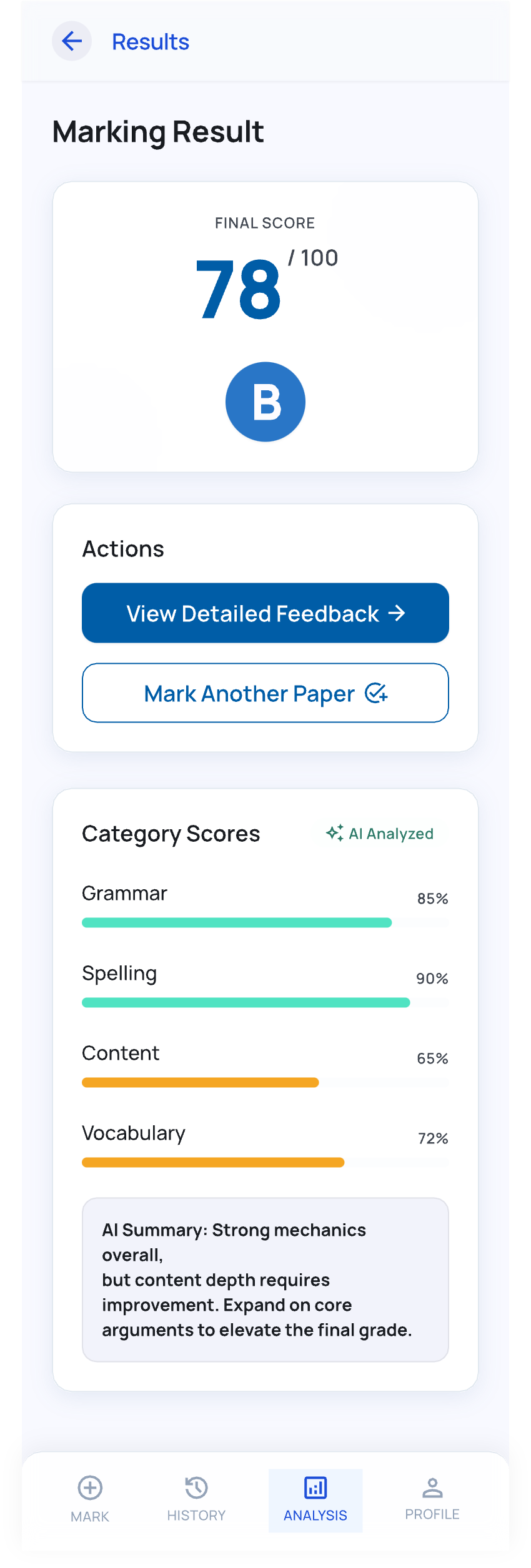
The app follows the teacher workflow: define the assignment, upload multiple pages, process OCR, then review AI-assisted marking output in a clean mobile interface.
Capture or select multiple student writing pages from the teacher's device.
The backend extracts text and asks the configured AI provider to mark the writing.
Inspect spelling, grammar, content, and feedback sections before using the result.
Designed around repeated teacher use.
Send a batch of writing pages in one request so longer student submissions stay together.
OCR positions are merged into mistakes where possible so the app can highlight issues on the page preview.
Language, region, school level, class year, strictness, max marks, and focus areas shape the AI prompt.
Privacy-aware by default
Temporary server processing, local result history.
Markease is built so uploaded pages are only needed while OCR and AI marking run. Results can remain available on the teacher's phone for history, without using the server as long-term storage.
01
Uploaded images are stored temporarily during processing.
02
Temporary upload files are deleted after AI results are produced.
03
Marking history may be stored locally on the phone for user convenience.
04
The app may show ads, with ad-related processing handled by advertising partners.
Questions teachers may ask first.
No. It provides AI-assisted suggestions. Teachers should review and adjust feedback before relying on it.
The app expects spelling, grammar, content, and feedback sections, with mistake details where available.
It uses OCR for photographed pages. Accuracy depends on handwriting clarity, image quality, and page framing.
Read the policies for data and use details: Privacy Policy / Terms & Conditions
Start marking
Bring AI assistance into your writing review flow.
Download Markease, upload a sample paper, and review the result before using it with students.